OverTheWire Bandit Level 16 → 17 Walkthrough
Port scanning with nmap to find the SSL listener and get an SSH key

Level goal: The credentials for the next level can be retrieved by submitting the password of the current level to a port on localhost in the range 31000 to 32000. First find out which of these ports have a server listening on them. Then find out which of those speak SSL and which don’t. There is only 1 server that will give the next credentials, the others will simply send back to you whatever you send to it.
Commands you may need: ssh, telnet, nc, openssl, s_client, nmap
Helpful reading:
Write-up
First I felt it was brute force, but no, not all the ports are open. So I found out which ports were open and listening. This I did with nmap.
1

nmap -p 31000-32000 localhost
-p flag takes the range of ports to be checked.
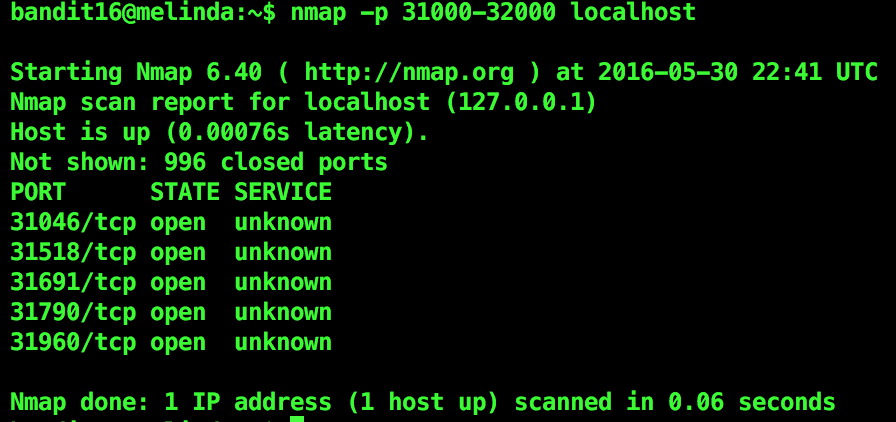
So there were 5 ports open. I decided to check them all. I tried to connect through openssl. 31790 turned out to be the right port. It gave me the private ssh key to the next level on submitting the current one. I saved the key to a file locally and used it to ssh to the next level and got the password there just like in Level 13
Level 17 password:
xLYVMN9WE5zQ5vHacb0sZEVqbrp7nBTn